Board or list
Drag candidates between stages, or sort the list by AI score, rating or date.
Careers Page, One Pipeline, AI Screening
Publish jobs on your careers page, track every candidate in one pipeline, and move the hire into a pre-filled employee record and onboarding checklist.
An applicant tracking system (ATS) is recruitment software that collects every application for a job in one place and moves each candidate through the hiring stages, from new application to hired, with the CV, notes, feedback and history attached. Without one, applications sit in inboxes and WhatsApp chats, and it is hard to say who has been called back.
HRX360 ATS is part of your HR software. A hired candidate becomes an employee record with their name, contact details and the job's department, designation and location already filled in. It brings recruitment, employee records and onboarding together for UAE businesses.
Request a DemoTitle, department, location, requirements and the closing date. Draft with AI writes the description from a one-line brief.
From your careers page, your own website, or CVs you add from email and WhatsApp, all in one pipeline.
Rate candidates, add team notes, and let AI screening tell you who to read first.
Create Employee opens the record with the candidate’s details and the job filled in. Save it, and they stay linked for good.
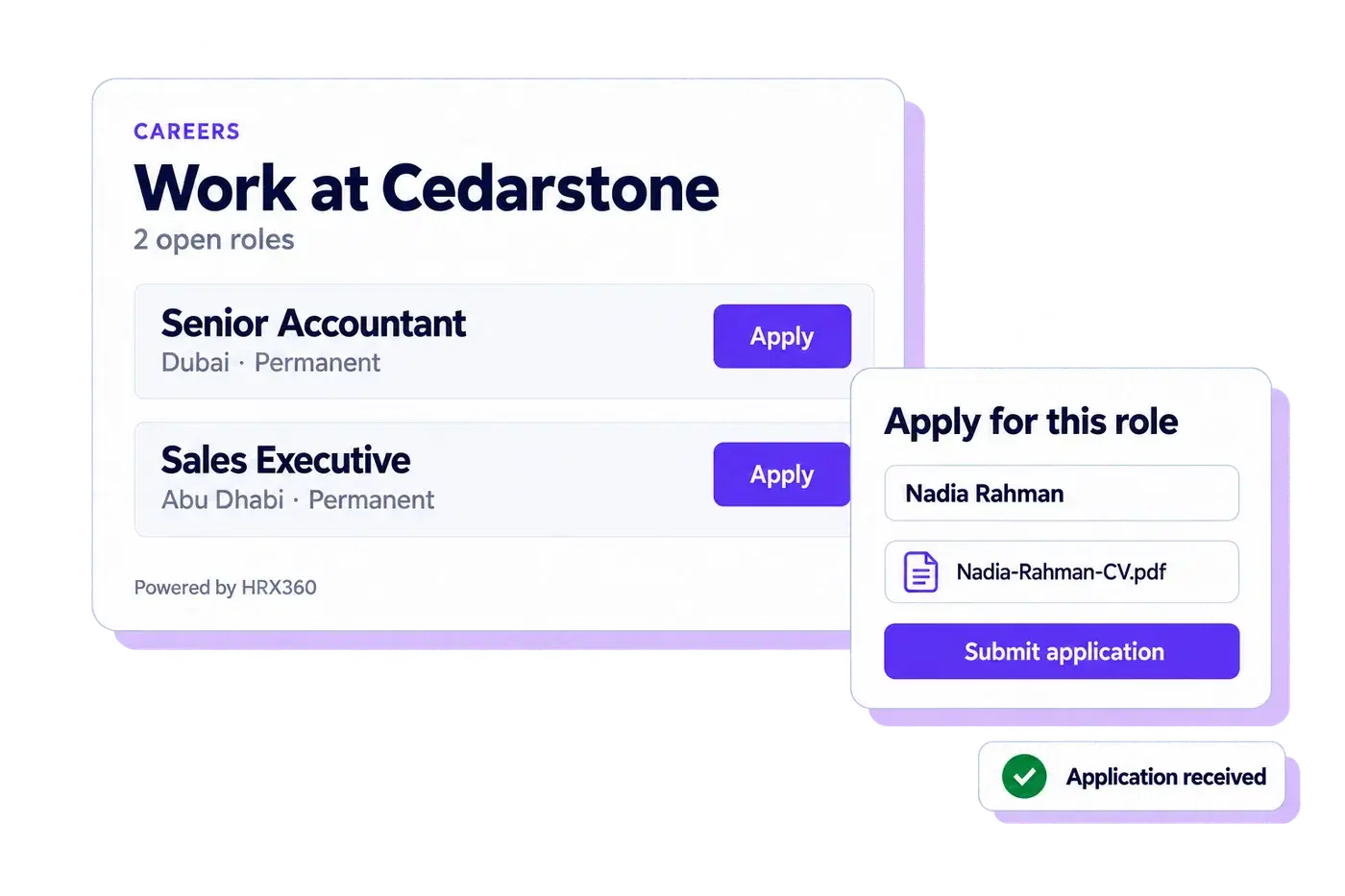
One switch publishes your open jobs at careers.hrx360.com with an application form, CV upload and spam protection. Embed it in your site with one line of code.
From the careers page, job-board links or CVs you add by hand, moving through six stages with notes, ratings and a full timeline. No duplicates.
A match score against the job’s requirements, with the reasons and interview questions. Off until you switch it on, and it never moves or rejects anyone.
Create Employee opens pre-filled from the application, and the same record carries on to onboarding, documents, leave and payroll.
Switch it on and your open jobs appear at careers.hrx360.com under your company name. Each job has its own page and link. Share the link in your adverts, or paste one line of embed code to show the same page inside your own website.
Six stages on a drag-and-drop board. Each candidate carries their CV, a star rating, team notes, a timeline of every move and, if it comes to it, the reason they were not taken forward.
Plus a Rejected stage with a reason recorded.
Drag candidates between stages, or sort the list by AI score, rating or date.
A 1 to 5 star rating and notes from everyone on the hiring team, on the candidate.
Every stage change and note, with who did it and when.
The job shows "2 of 3 positions filled"; open, hold, fill or close it from one button.
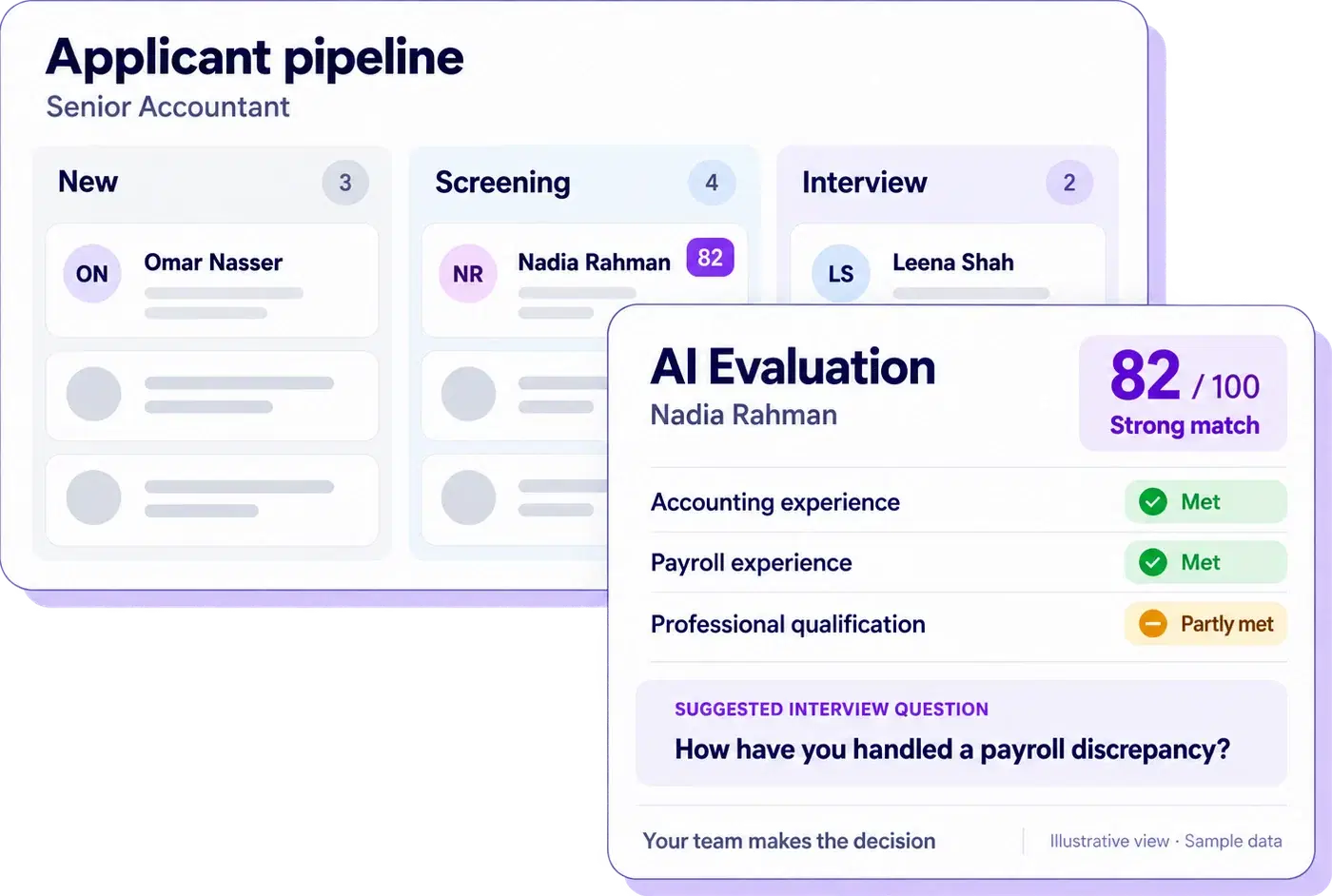
Switch on AI screening and each new applicant's CV is compared with the job's requirements: a match score out of 100, each requirement marked met, partly met, not met or not stated, strengths, gaps and suggested interview questions. Use the results to prioritise CV reviews and prepare interview questions. Your team decides who moves forward.
Move a candidate to Hired and HRX360 offers to create the employee. The record opens with the name, contact details, nationality and the job's department, designation and location filled in. Save it, and the candidate stays linked to the employee for good: no re-typing, no second tool, no CV lost in a folder.
Request a DemoFrom the Hired stage, Add Employee opens pre-filled; HR only adds what the application did not have, then saves.
The candidate panel shows the employee code. A candidate with an employee record cannot be deleted by mistake.
Other candidates are untouched, so you can hire two for one opening. HR marks the job Filled; hiring does not change its status by itself.
Right after the record is saved, HRX360 offers to start the new joiner’s onboarding checklist. If the record has an email address, the welcome email with a set-password link goes out.
HRX360 does not post to job boards for you. It gives you one link and one pipeline, so wherever the advert runs, the applications end up together.
Paste the job link into LinkedIn, Bayt, Indeed or a WhatsApp group. Applicants arrive in your pipeline, CV attached.
Add them by hand to the same job. The same email or phone never creates a duplicate candidate.
One line of embed code shows your open jobs and the application form inside your site.
The careers page, the pipeline, AI screening and what happens when you hire.
An applicant tracking system is recruitment software that collects every application for a job in one place and moves each candidate through the hiring stages, from new application to hired, with the CV, notes, feedback and history attached. In HRX360 the ATS is part of the HR software, so a hired candidate’s details carry into a pre-filled employee record for HR to complete and save.
Yes. One switch publishes your open jobs on a careers page at careers.hrx360.com under your company name. Each job has its own link and application form with CV upload.
Not directly. HRX360 gives you the careers page and a link for each job; you paste that link into your LinkedIn, Bayt or Indeed advert, and every applicant lands in the same pipeline. CVs that arrive by email or WhatsApp are added by hand to the same job.
When you switch it on, every new applicant's CV and typed details are compared with the job's requirements. The AI records a match score out of 100, which requirements are met, partly met, not met or not stated, strengths, gaps and suggested interview questions. It never moves or rejects anyone; your team decides.
The AI is instructed to assess job-related skills, experience and qualifications and to ignore personal characteristics such as name, nationality, gender, age, religion, marital status and photo. The typed nationality, visa status and expected salary fields are never sent to it; the uploaded CV is assessed as it is. Applicants are told on the careers page when AI review is on. Recruiters review the results, can re-run or ignore any evaluation, and make every hiring decision.
PDF and Word (.docx) CVs are read in full. An older .doc file cannot be read, so that score rests on the typed details and says so. Applicants are evaluated in the order they arrive, up to the number of evaluations your plan includes each month. After that, new applicants still arrive as normal, marked "AI limit", and you can evaluate chosen ones next month. The allowance for each plan is on the pricing page.
Yes. On the Candidates tab click Add Candidate, enter the name and an email or phone number, attach the CV and choose the job. If the email or phone number already belongs to a candidate, their existing record opens instead, so nobody is duplicated.
Yes. Copy the embed code from the Hiring settings and give it to whoever manages your website, and the same page shows inside your site. You can also paste the careers page link, or a single job’s link, anywhere: LinkedIn, Bayt, Indeed or a WhatsApp group. Only open jobs marked to show on the careers page appear.
Moving a candidate to Hired offers Create Employee. The new record opens with the candidate's name, contact details, nationality and the job's department, designation and location already filled in. Once saved, the candidate stays linked to the employee record, so there is no double entry and no second tool.
Six stages: New, Screening, Interview, Offer, Hired and Rejected. Candidates move between them on a drag-and-drop board or a list, and every move is recorded on the candidate timeline with who did it and when.
Hiring is included in the Professional and Enterprise plans and switched on by your administrator, who grants it to HR users and recruiters. The number of jobs open at one time and AI evaluations per month are set per plan, with more available as an add-on; the exact allowances are on the pricing page. Candidates per job are unlimited.
A free 30-minute demo: we post a job, switch on your careers page, run an applicant through the pipeline and hire them into an employee record.